Build
extensions visually
Drag, connect, and export production-ready TypeScript.
No setup. No boilerplate. Just code that works.
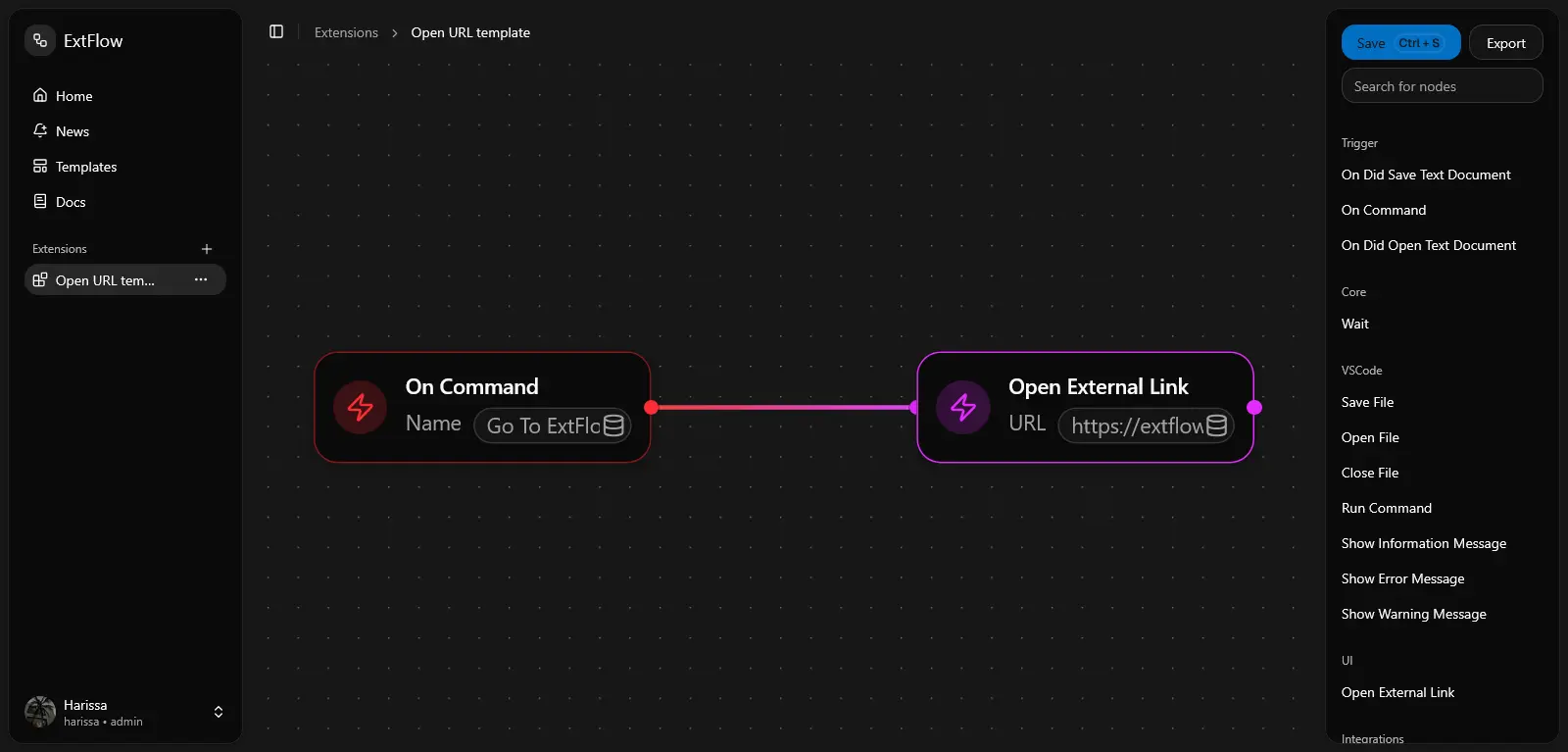
Visual Node Builder
Build your extension logic visually, connect commands, actions, and events with drag-and-drop simplicity.
One-Click Export
Clean TypeScript Output
VS Code & Fork Support
Works seamlessly with VS Code and all major forks including Cursor, Windsurf, Trae, and Antigravity.



How It Works
Choose your starting point
Start building in seconds.
1. Start with a flow or template
Create a new extension from scratch or pick a template to skip setup and start faster.
Connect nodes
2. Build logic by connecting nodes
Drag trigger, action, and VS Code nodes into place, then connect them to define your extension behavior.
Digit Code
827 194
3. Test and export your extension
Use Digit Code to test instantly in the ExtFlow extension, or export a ZIP project on Pro and publish it.
Pricing that Scales with You
Gemini is evolving to be more than just the models. It supports an entire to the APIs and platforms helping developers and businesses innovate.
- 3 extensions max
- No export
- Usable with the ExtFlow extension
- Basic Templates
- Not all features/integrations
- Unlimited extension
- Export + usable with ExtFlow extension
- All templates
- All features/integrations
- AI Chat
- Pro tier for max 10 users
- API access
Frequently Asked Questions
Most common questions asked about ExtFlow.
Start Building
Start creating, testing, and exporting extensions in minutes with ExtFlow.